

Screens are part of everyday life. Between computers at work, phones at home, and streaming in the evening, most of us spend more time looking at digital devices than we realize. By February, many people notice tired, dry, or uncomfortable eyes and wonder if it’s normal.
The good news is that most screen-related vision problems are manageable once you understand what causes them and how to reduce the strain.
What Is Digital Eye Strain?

Digital eye strain (sometimes called Computer Vision Syndrome) refers to a group of symptoms caused by long periods of near work on screens. Unlike reading a book, screens constantly refresh and emit light, which makes your eyes work harder to stay focused and comfortable.
Common symptoms include:
- Tired or sore eyes
- Headaches, especially later in the day
- Blurry vision at near or distance
- Dry or watery eyes
- Neck and shoulder tension
These symptoms often build gradually, so many people don’t connect them to screen use right away.
Why Screens Make Your Eyes Work Harder

When you look at a screen, your eyes are locked into one distance for long periods. At the same time, blink rates drop by as much as half, which causes tears to evaporate faster. That combination leads to dryness and fatigue.
Other factors add to the problem:
- Poor posture or viewing angle
- Screens that are too close or too far away
- Glare from lighting or windows
- Small text sizes that force extra focusing effort
Over time, this can make even healthy eyes feel strained.
Are You at Risk?
You may be more likely to experience digital eye strain if you:
- Use a computer or tablet for several hours a day
- Scroll on your phone in the evening
- Work in dry, heated indoor air
- Already have dry eye or an outdated prescription
Even people with good vision can develop symptoms if their visual system is under constant demand.
Simple Ways to Reduce Screen Strain

Small changes can make a noticeable difference.
Take Visual Breaks
Try the 20-20-20 rule: every 20 minutes, look at something at least 20 feet away for 20 seconds. This relaxes your focusing muscles and gives your eyes a chance to reset.
Adjust Your Screen Position
Your screen should be about arm’s length away, with the top of the monitor slightly below eye level. This helps reduce both eye and neck strain.
Increase Text Size
If you find yourself leaning forward, the font is probably too small. Larger text reduces the effort your eyes need to stay focused.
Blink More Often
It sounds simple, but conscious blinking helps keep the surface of your eyes moist. Lubricating drops can also help if your eyes feel dry by the end of the day.
Reduce Glare
Position screens away from bright windows or overhead reflections. Ideally, your computer screen should be at a 90-degree angle from your windows to reduce glare. A matte screen finish or adjusting room lighting can help keep contrast comfortable.
When Screen Use Reveals a Vision Problem
Sometimes digital eye strain isn’t just about screens — it can be a sign your prescription needs updating, or that your eyes are struggling with focusing or coordination.
You might notice:
- Headaches after computer work
- Trouble shifting focus from screen to distance
- One eye feeling more tired than the other
- Blurry vision that improves after rest
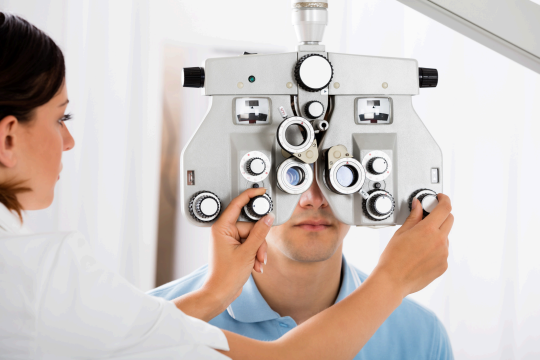
An eye exam checks more than just how clearly you see. It also evaluates how your eyes work together and whether your visual system is comfortable for long hours of near work.
Why February Is a Good Time to Check In
By this point in the winter, many people have settled back into full work and screen routines. If your eyes feel different than they did last year, it’s a good time to ask why. Catching small changes early helps prevent ongoing discomfort.
Final Thoughts

Screens aren’t going away, but eye strain doesn’t have to be part of daily life. With a few adjustments and regular eye care, most people can stay comfortable and productive throughout the day. If you’re noticing tired eyes, headaches, or blurry vision during screen use, we’re here to help. Book an eye exam at our Burlington clinic and let’s keep your vision comfortable this year.